TOTPRadius : migrating from previous versions using full backup and restore functions
Last updated 2026-07-18
This option allows taking a full backup of the appliance, including users, hardware tokens, configuration, certificate and license* files. The backup can be restored on the TOTPRadius versions starting from 0.2.7. Administrative credentials, web access (username: admin) or ssh access (username: totpradius), are not included in this backup.
The function is located on the Export/Import page under Backup and Restore tab.
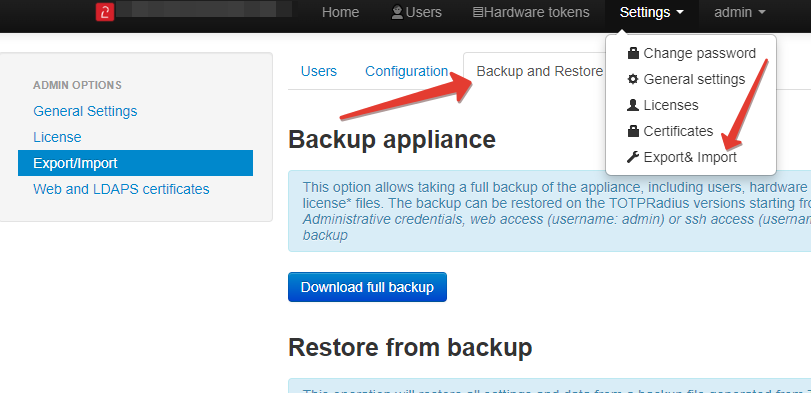
The file generated by "Download full backup" button will have t2bckp extension and will contain all settings, certificates, users and hardware tokens tables and is ready to fully migrate between appliances.
Migrating from previous versions
The full backup feature is introduced in version 0.2.7, however, we also prepared a patch that allows generating and downloading the full backup file from older versions. The steps are as shown below:
- Upload backup.php to /var/www/html/admin/ via SSH/SFTP (you can use WinSCP, FileZilla or any other client supporting SFTP)
- Navigate to http(s)://FQDN_OR_IP/admin/backup.php and click on "Download backup" button
- This will download a file with .t2bckp extension which you can use to restore the configuration on newer versions of TOTPRadius (>0.2.7)
The patch can be downloaded here.
- FIDO Security keys registrations (for versions older than 0.2.8)
- FIDO Security keys-based VPN sessions
- Oauth2 associations and sessions
- Slave appliance details