Native support of NFC FIDO2 Keys in iPhone Safari
Last updated 2026-07-18

Please note that you can also use USB (either directly or via adapters). However, for keys prior to Release3, our FIDO2 Type-C to Lightning adapter supports FIDO protocols only, not OTP. If you wish to use OTP functionality with an older key, you will need to use NFC instead.
Additionally, when using the HOTP feature of your FIDO2 key, be aware that it functions via keyboard emulation. On iOS devices, this may interfere with PIN entry, as the key is recognized as an external keyboard, potentially disabling the on-screen keyboard and preventing PIN input. To avoid this issue, we recommend either disabling the OTP functionality using our companion app or unplugging the key when entering your PIN.
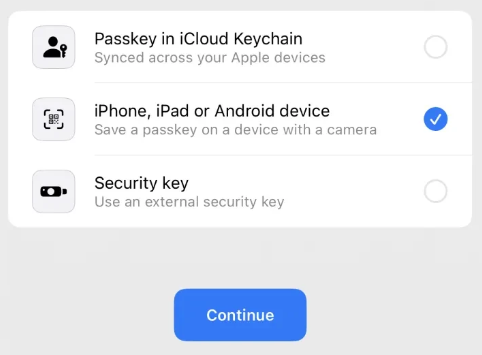
Additionally, there is another aspect that appears to be more of an iOS GUI glitch. When an iPhone prompts the user to choose the passkey type, users should start using the FIDO2 key without following the on-screen instructions.